Perception
Slamcore Aware's perception module runs on-device and uses AI to detect objects and their 3D location in the environment for increased driver awareness.
Pedestrian Detection
All new Slamcore Aware devices shipped with v25.02 and above have perception enabled by default.
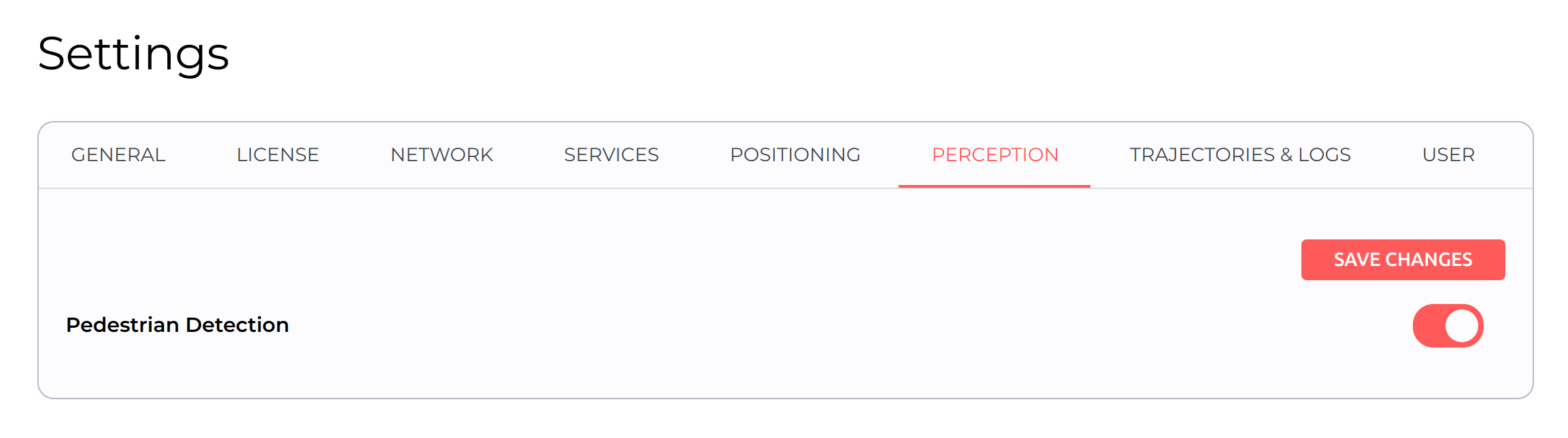
If the perception module hasn't been enabled by default:
- On the web interface, select
 Settings from
the left panel > Positioning tab > Pedestrian Detection.
Settings from
the left panel > Positioning tab > Pedestrian Detection. - Toggle on the option for Pedestrian Detection.
- Click SAVE CHANGES to save the settings.
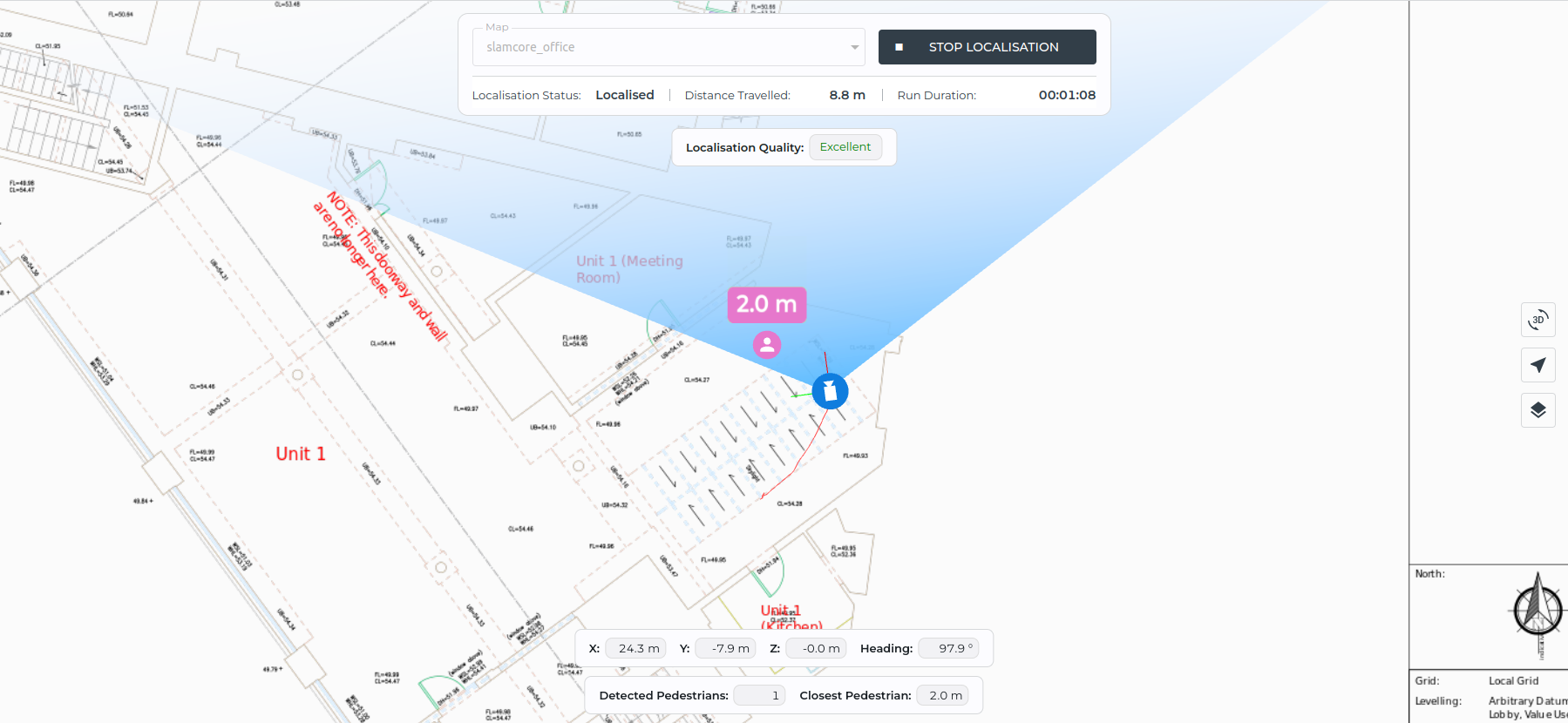
With pedestrian detection enabled, the locations of pedestrians are now displayed on the Visualisation pane during operation, with a text box on each pedestrian indicating their distance away from the system's tracking point.
By default, the system's tracking point is set at the Slamcore Aware sensor object (see Setting the Vehicle dimensions and center position).
If a second sensor unit has been connected, configured and activated
(see Configuring the second sensor (Cam2)) it will also be used for pedestrian
detection, with any detected pedestrians also displayed on the
Visualisation pane, with a text box on each pedestrian indicating
their distance away from the system's tracking point.
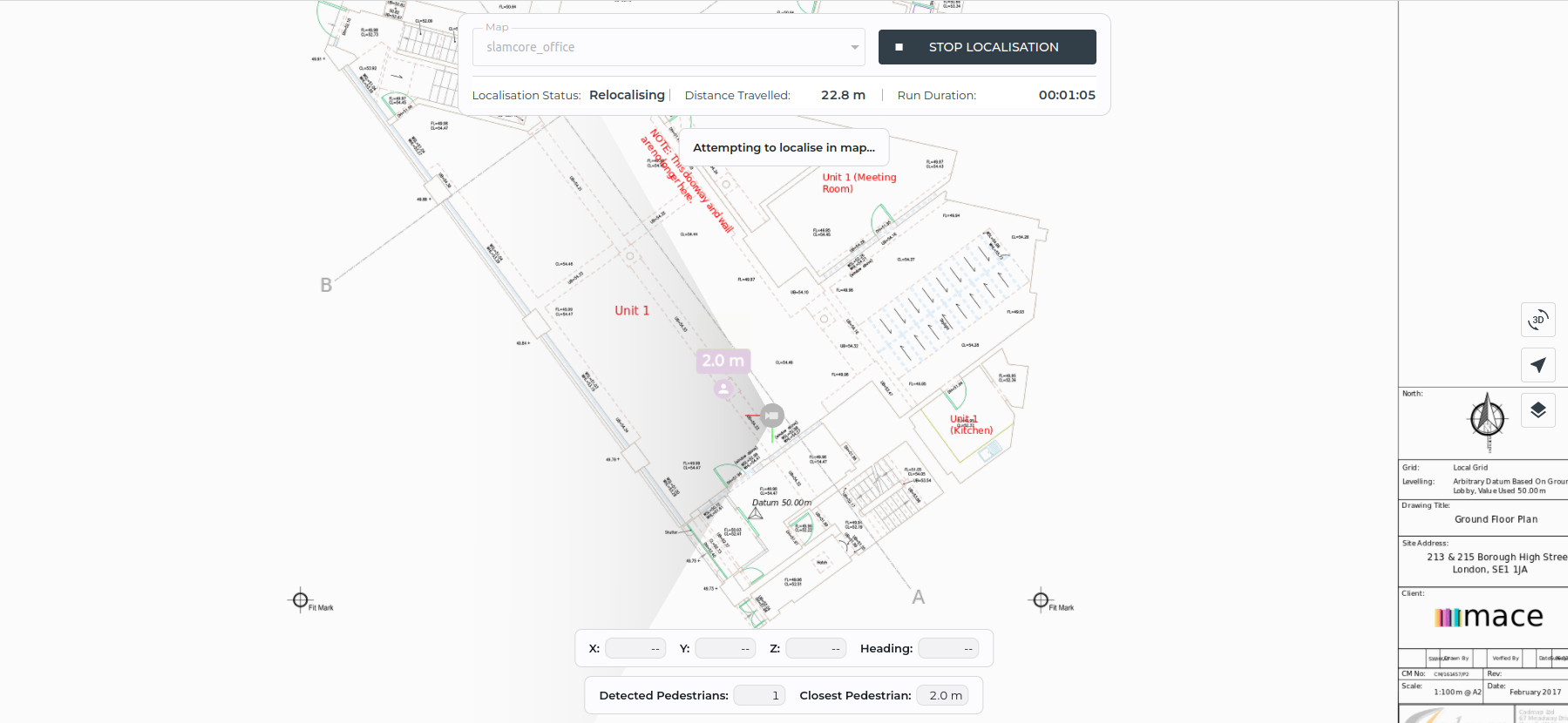
When the system is not able to localise on the map, the
Localisation Status will be Relocalising and the pose icon will be
grey. During this time, the pedestrian detections will be shown at a
lower opacity, as their location in the visualisation pane may not
reflect the real world location of the pedestrians in the facility map.
Pedestrian detections are rendered relative to the vehicle, so whilst
the absolute location of the pedestrians on the map cannot be relied on,
the distance between pedestrians and the vehicle will still be accurate.
Visualisation Pane Information

The information bar in the Visualisation pane provides live information about the detections, such as the number of pedestrians detected and the distance from the tracking point to the closest pedestrian.