Battery Replacement
About
-
Slamcore Aware Compute Units are shipped with internal batteries inserted into the compute unit, these function to
- Ensure the system powers off gracefully when external power is removed.
- Maintain system time when external power is removed.
-
These batteries are not designed to be used as the source of power for regular operation of the device.
Batteries are supplied by Slamcore and must be replaced with the same type of batteries. These must be sourced from or approved by Slamcore.
Replacement Procedure
MK3 Compute Unit - battery replacement procedure
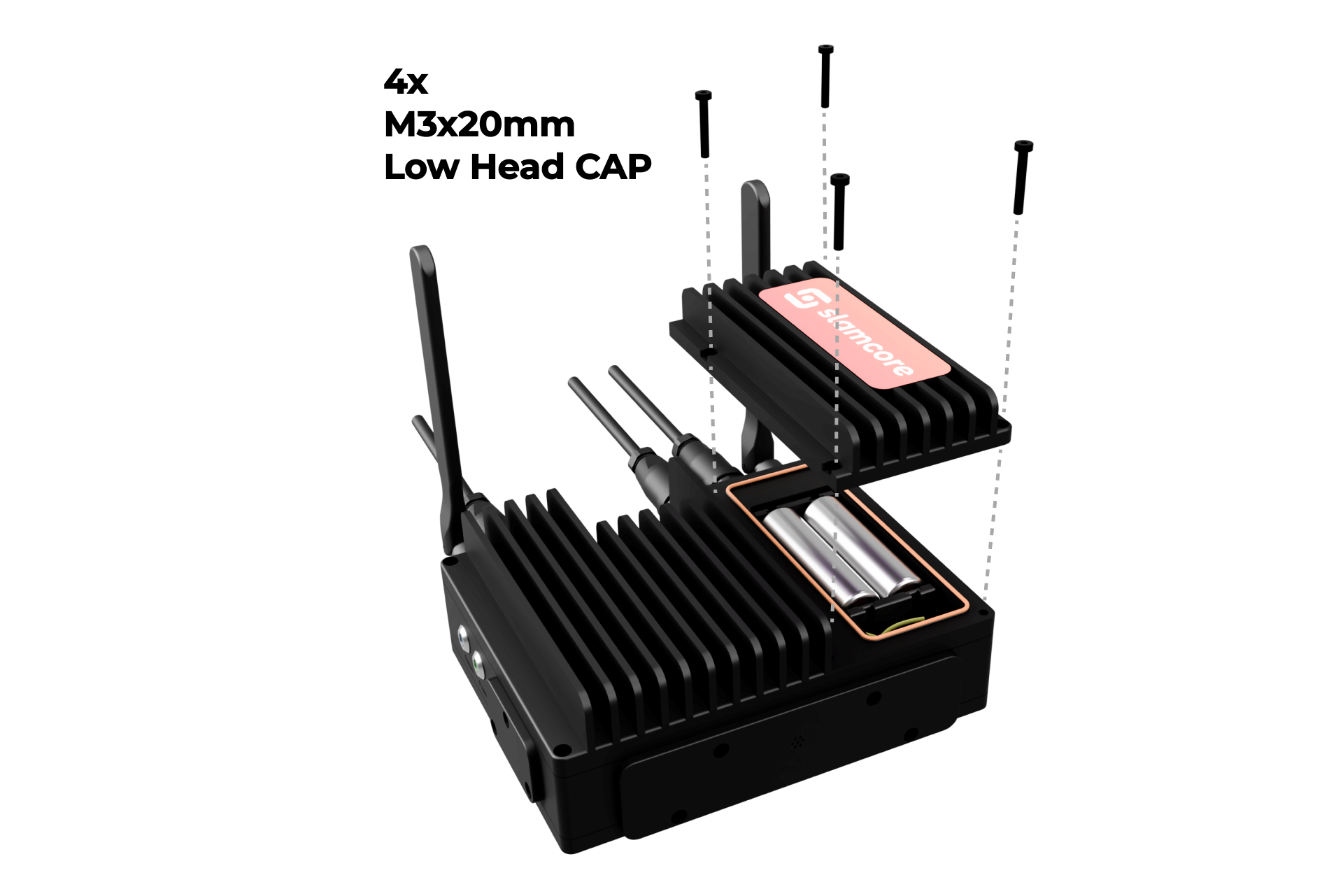
- Remove the battery cover using a hex key to remove the four screws indicated in the figure above.
- Remove the existing batteries, if necessary use a tool to aid removal (such as a small flat-head screwdriver).
- Replace the batteries with those provided by Slamcore.
- Observe the polarity indicated by the label inside the battery compartment.
Slamcore Aware compute unit MK3 - Battery type
| Location | QTY | Type | Specification |
|---|---|---|---|
| Battery Compartment | 2 | 18650 Li-Ion Battery | Provided by Slamcore. Flat top Panasonic NCR18650BD |
| Battery Compartment | 1 | CR1220 Battery | Provided by Slamcore. Button cell Panasonic CR-1220/BN |
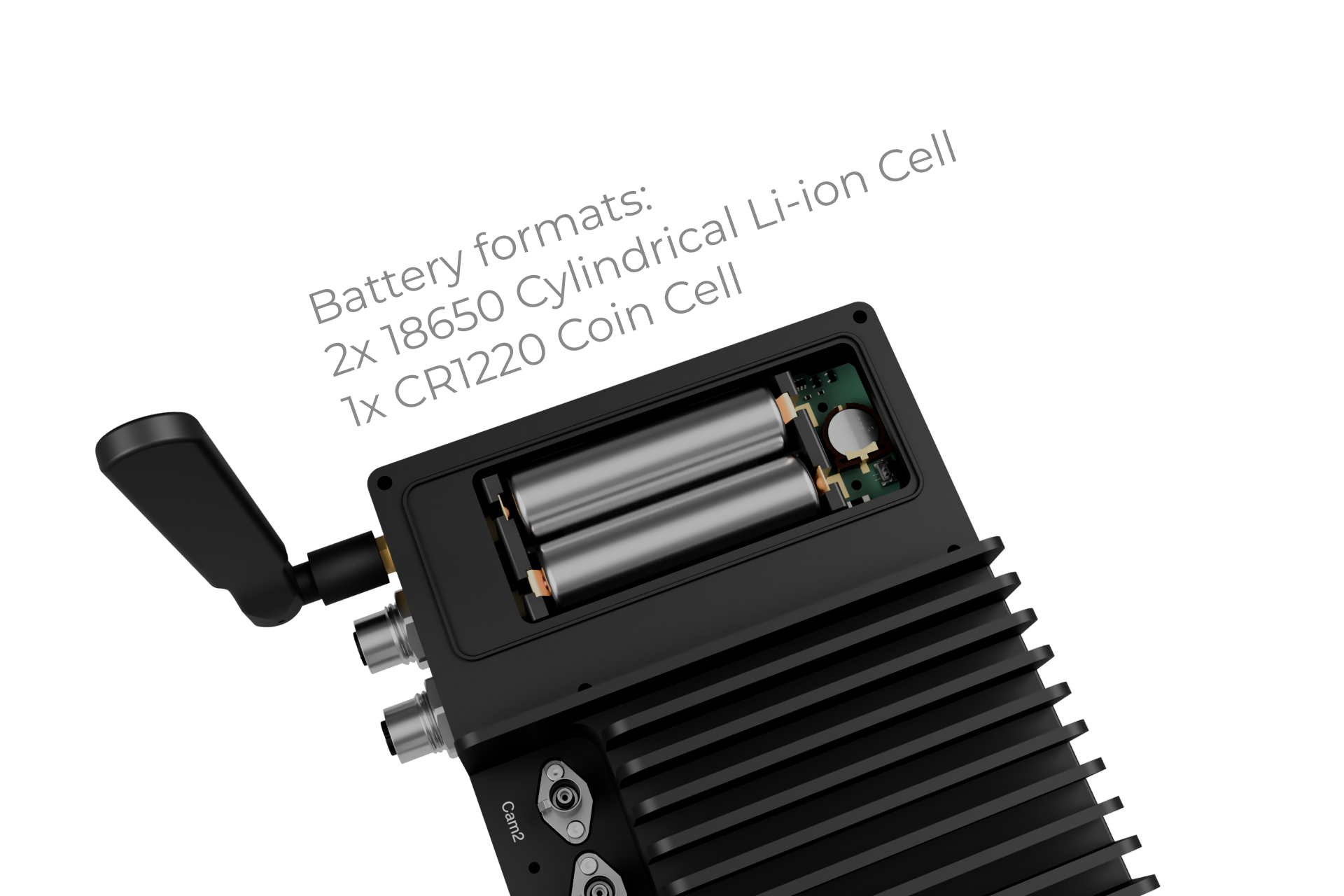
MK2 Compute Unit - battery replacement procedure
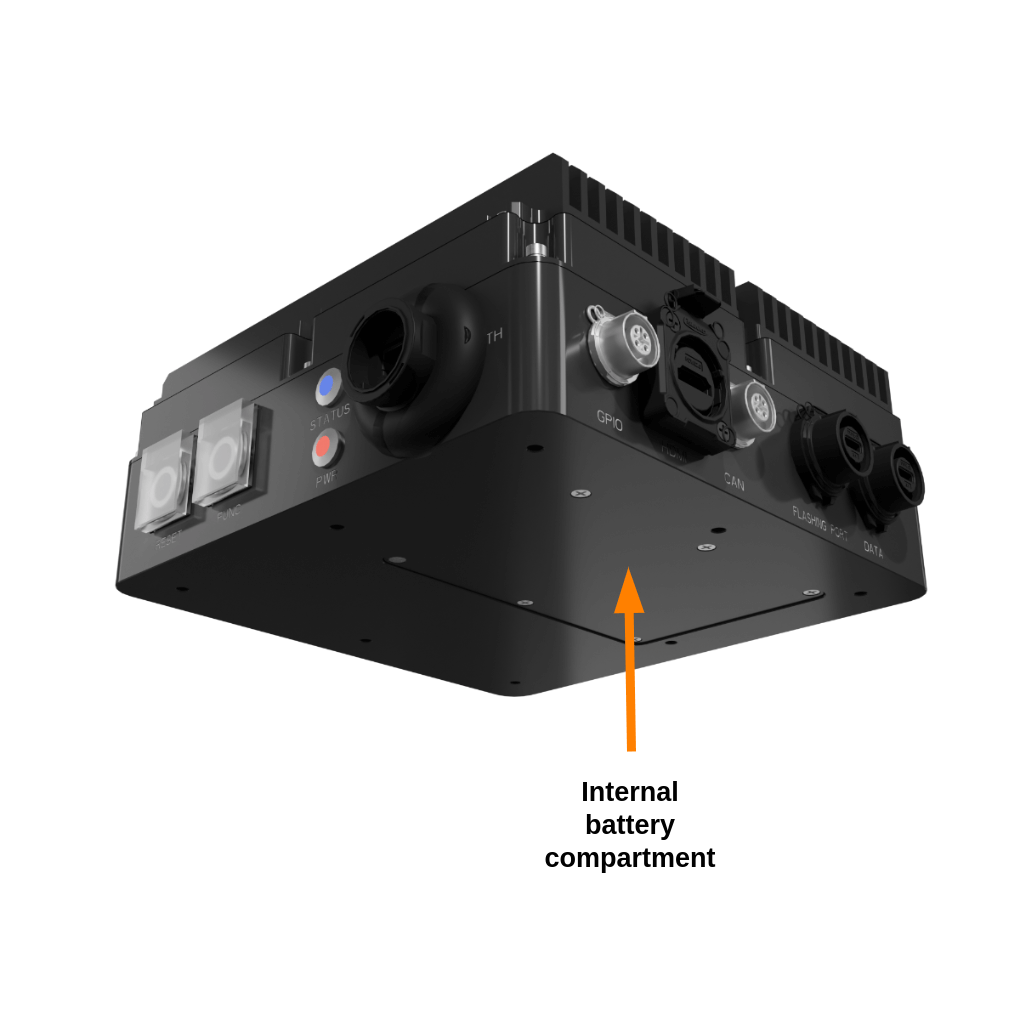
- Remove the battery cover using a hex key to remove the six screws which fix the compartment cover indicated in the figure above.
- Remove the existing batteries, if necessary use a tool to aid removal (such as a small flat-head screwdriver).
- Replace the batteries with those provided by Slamcore.
- Observe the polarity indicated by the label inside the battery compartment.
- N.B. Batteries are designed to fit tightly into the battery compartment.
Slamcore Aware compute unit MK2 - Battery type
| Location | QTY | Type | Specification |
|---|---|---|---|
| Battery Compartment | 2 | 18650 Li-Ion Battery | Provided by Slamcore. Button top Panasonic NCR18650BD |
| Internal device | 1 | CR1220 Battery | Provided by Slamcore (not replaceable by customer). Button cell Panasonic CR-1220/BN |
Battery disposal
Used 18650 lithium-ion batteries are recyclable commodities. These batteries must be treated as hazardous waste.
Lithium-ion batteries marked with the recycling symbol and the sign showing a crossed-out waste bin must not be disposed of with ordinary household waste.
Return or recycling of batteries must be ensured, for example, in accordance with the Battery Directive 2006/66/EG. Terms and the manner of recycling must be agreed with the manufacturer.
Lithium-ion batteries must be disposed of in accordance with the relevant national environmental protection regulations. For lithium-ion battery disposal, contact the manufacturer's customer service department.